
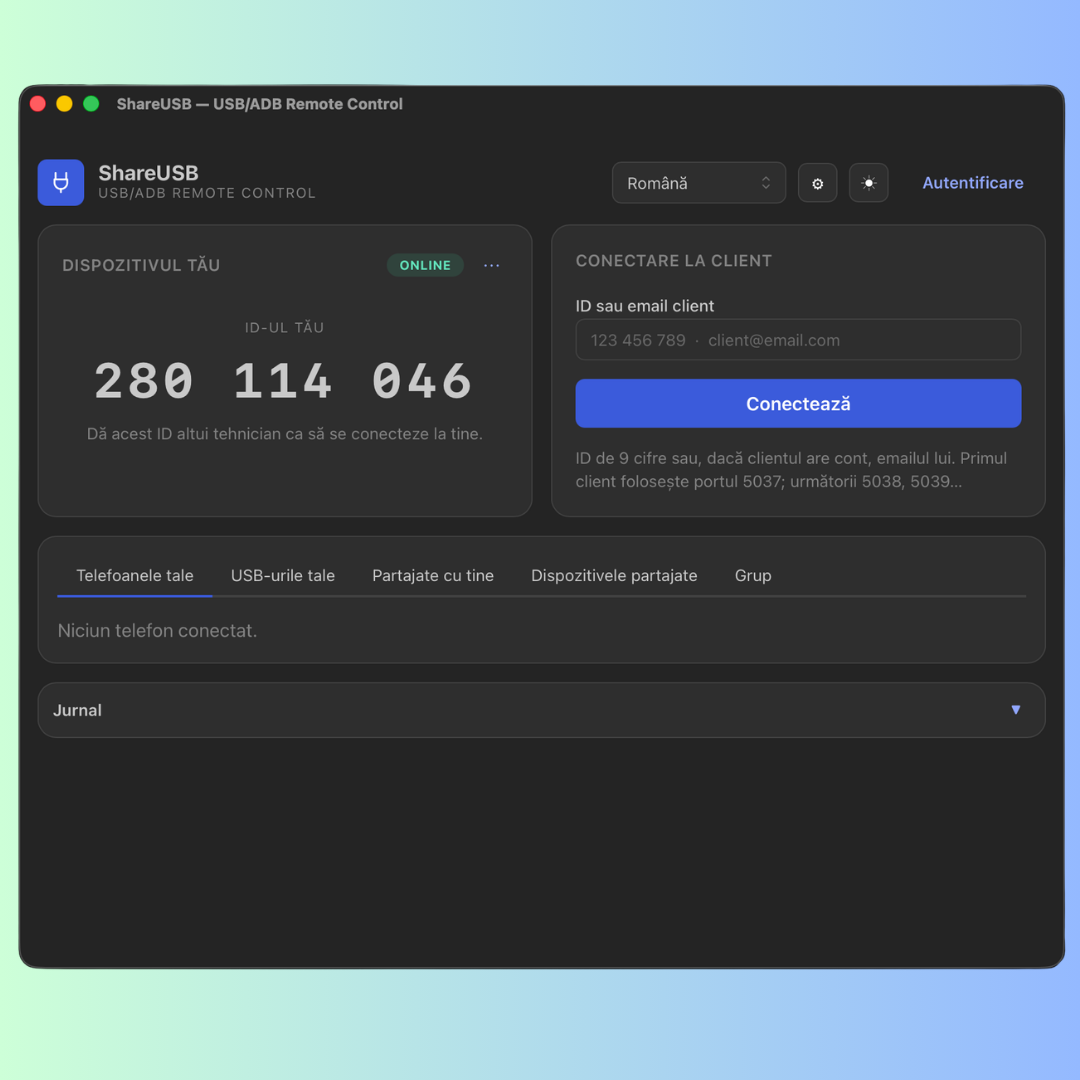
ShareUSB didn’t start as a business idea. It started from a headache I’d had for a while and hadn’t managed to solve with anything.
Where it all came from
In several of my projects I needed to get access, over the internet, to the phones of users and clients. The reason is mundane: most people don’t know how to do things on a phone. You explain it, you send steps, you take screenshots — and it still doesn’t work out. I realized it would be ten times simpler if I could just step onto their phone directly, with their permission, and fix it on the spot.
Then came the second need: automation. I wanted certain things to happen on their own, and the first option that comes to mind is the browser. I tried that route and hit a wall: the browser is an unreliable solution. It freezes, it crashes, apps detect you, problems pile on top of problems. You can’t build anything stable on it.
So I changed my approach. If I need a remote connection anyway, why not automate directly through the phone, over an internet connection, and let the AI run the commands?
Why through the phone, and not the browser
This is where I noticed something that cleared up my whole direction: AI is very good at talking to phones over ADB. Far better than at driving a browser. You give it ADB access and it handles things naturally — it opens apps, taps, reads the screen, runs commands. It no longer stumbles the way it does in a browser.
So I decided to go straight down that path: connect the AI to ADB and give it access. No detours. The phone, as a tool, in the assistant’s hands.
Through the phone, everything is simpler for an AI. You can do automatic marketing, you can solve problems, you can offer remote assistance to someone who’s stuck, you can publish posts. And for me, the most important thing is this:
The most stable way to do automatic marketing and to publish is to give the AI access to your phone. Through the browser there are serious problems. Through the phone, there aren’t.
The part the browser can’t do: the same IP
It’s a detail that matters enormously and that many people overlook. Some apps act up if you publish from a foreign IP, from another country, from a different device. They block you, they ask for verifications, they behave strangely.
With ShareUSB, even if you’re in Honolulu or Dubai, you publish from your own IP — the one at home, on your own phone. To the app it looks like you’re quietly at home, just like every other time. That gives you a stability no browser-based or external-server solution can offer.
What it looks like in practice
The idea itself is dead simple. You leave the phone connected to a computer, a Raspberry Pi, anything that draws little power and stays on. That’s it. From that moment on, it works remotely.
You’re away from home, on the road, at the seaside, wherever — and the AI works for you on the phone left back home. You ask it to do what you want, and it does it. That’s exactly what I built it for: I want the AI to work in my place while I’m away from home.
What I want to stick
I didn’t build ShareUSB to tick off an AI trend. I built it because I, personally, had this need — remote access to phones and automation that actually holds up. What came out is a tool that does two things at once:
- it gives me remote access to the phones of people who can’t manage on their own, with their permission;
- and it lets the AI work directly on the phone, stably, from my own IP, while I’m away.
If you’ve ever felt the frustration of explaining something to someone over the phone that you’d have fixed in two seconds if you could just step in yourself, or you’ve wanted something to publish on its own without you watching over it — that’s roughly where ShareUSB came from.
You’ll find it at shareusb.app

 By
By
